![DIAP-1.png]](https://kb.dataintel.dk/hs-fs/hubfs/DIAP-1.png?height=41&name=DIAP-1.png)
Introduction
This guide describes how to start and stop the event servers, that is collecting the OEE data. It also gives a description of an event server.
Overview of the event servers
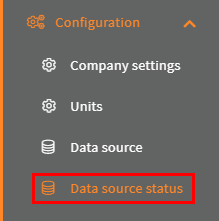
Go to the Configuration->Data source status page:
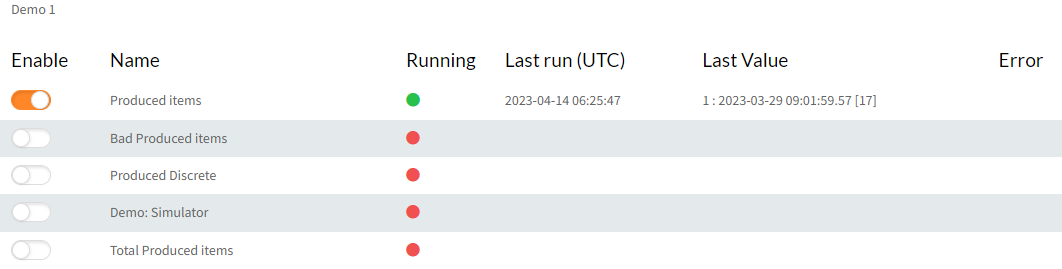
Under unit select All to have all the event servers listed:

Start an Event server
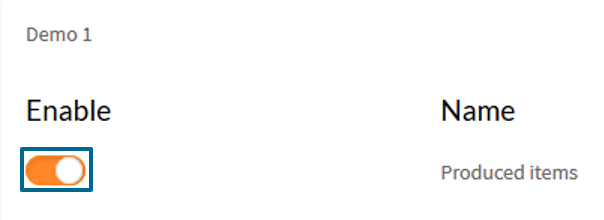
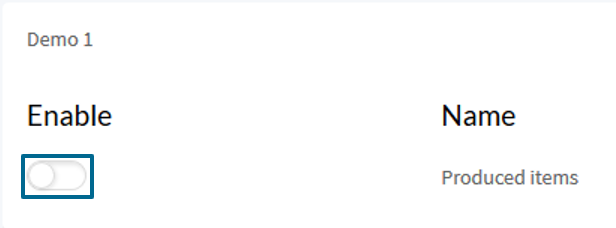
Click the switch for the event server:
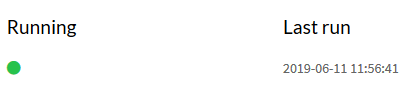
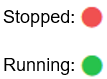
When the lights has turned green and the Last run timestamp has updated, then the event server is running:
Stop an Event server
Click the switch for the event server:
When the lights has turned red and the Last run timestamp has stopped updating, then the event server has stopped:

Event server
An Event server, is a service that collects data from Diap tags and process the data to the a OEE contexts based on the configuration of the Event server, this could be counting good produced times, bad produced times, state of the production and a lot more.
Following information is presented on the Data source page about your event servers:
- Enable: This is the switch, that turns on/off the event server.
- Name: This is the name of the event server, that was given to it in it's configuration.
- Running: This shows the running status of the event server
- Last run (UTC): This shows the last time the event server ran.
- Last Value: The last read TAG value, time stamp and a consecutively id
- Error: This shows an Error message, if there is something wrong with the event server.